Open source · MIT · no sign-up
MS Paint, with GPT Image 2.5
Draw, select an area, describe the edit. The AI repaints only what you selected. Everything else stays exactly as you drew it.
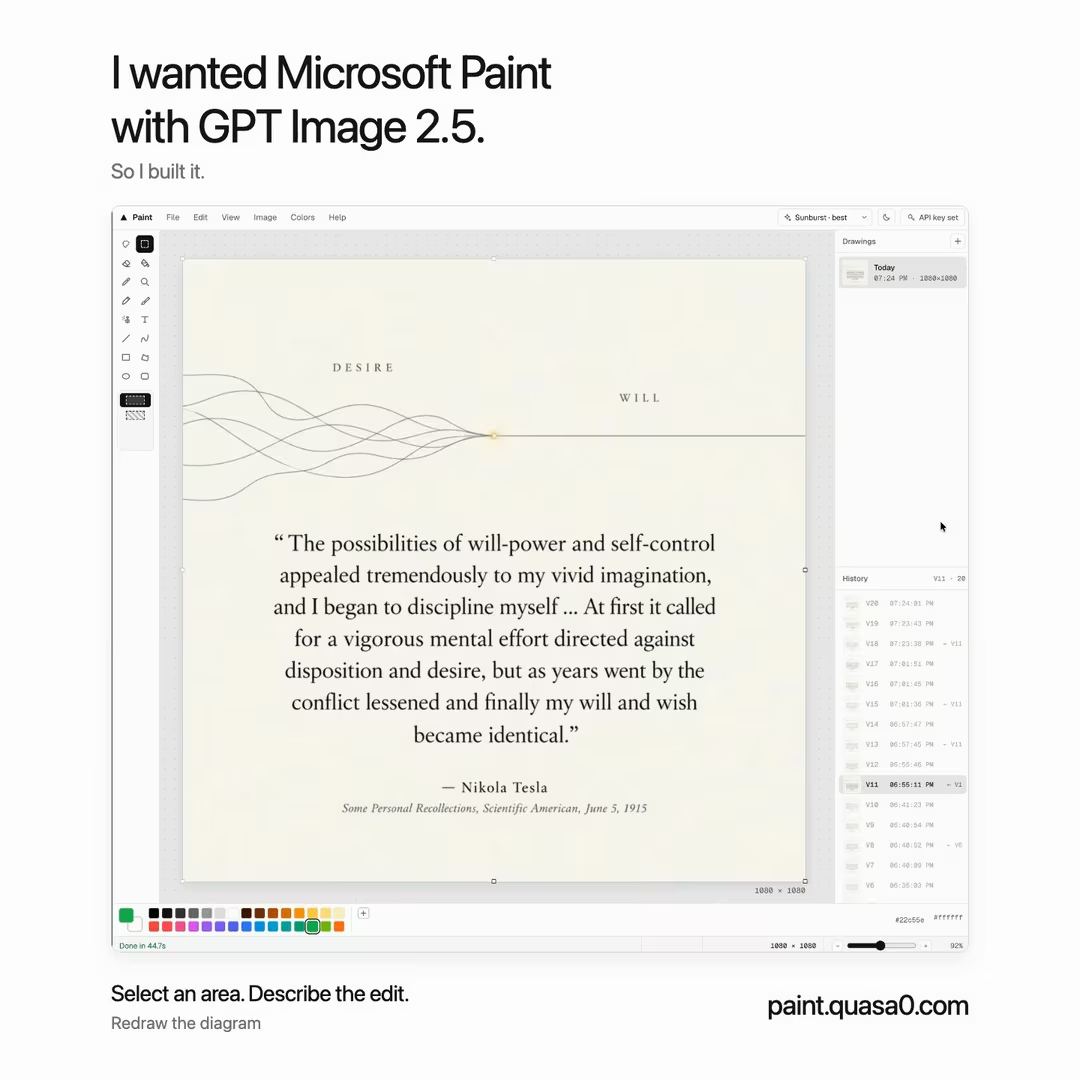
How it works
- 1Draw or paste. Pencil, brushes, shapes, text, or an image from your clipboard.
- 2Select an area. A rectangle or a free-form lasso. Only that area will change.
- 3Describe the edit. "Turn this line into a bamboo stick." A drawn diagonal line comes back as a bamboo stick at the same angle.
- 4Keep working. Edits run as separate jobs. Start another one elsewhere, or undo the result.
What's in it
- The classic toolsPencil, three brushes, airbrush, eraser, fill, eyedropper, text, line, curve, rectangle, polygon, ellipse, rounded rectangle.
- Selections that behaveMove, resize from the corners, rotate, flip, align to edges or center, duplicate. Snaps to the canvas with guides. Arrow keys nudge.
- History you can't loseEvery action is a version saved in your browser. Undo, then draw, and the versions you skipped are kept as a branch.
- Your drawings, on your machineAutosaved to IndexedDB with thumbnails. Rename, reopen, delete. No account.
- Paste anythingImages from the clipboard, files from Finder, or a URL. Drop onto the canvas to place.
- Export how you likePNG, PNG at 2×, JPEG, WebP, or just the selection. Copy the selection as PNG with transparency.
- Two modelsFlare for fast edits, Sunburst for precise ones, at low, medium, or high quality.
- Light and darkGeist type, hairline borders, keyboard shortcuts for every tool. Press ? inside the app.
Questions
Is it free?
Yes. Paint is open source under the MIT license. For AI edits, sign in with OpenAI to use your ChatGPT Plus, Pro or Team plan, or paste your own API key and pay OpenAI per image (a few cents each at medium quality).
Does the AI change the whole image?
No. Only the pixels inside your rectangle or lasso selection are replaced. Everything outside stays byte-for-byte the same. By default the model sees only the selection; you can let it see the surroundings from the Image menu.
Where are my drawings and API key stored?
In your browser: drawings and their version history in IndexedDB, settings, your key or sign-in tokens in localStorage. Nothing is uploaded except the selected pixels sent to OpenAI when you generate. With the OpenAI sign-in, that request is relayed through a small function on this site because chatgpt.com does not accept browser requests; the relay stores nothing. Clearing site data removes everything, so export what you want to keep.
Which models does it use?
gpt-image-2.5-flare for fast edits and gpt-image-2.5-sunburst for the most precise ones, through OpenAI's image edits endpoint.
Can I run it myself?
Yes. It is a static Vite build. Clone the repository, run npm ci && npm run build, and serve dist/ from any static host.